The right AI tools can cut a student's research time in half, improve essay quality without writing a single word for them, and make revision more effective than any highlighter. The wrong ones — AI essay generators — produce detectable generic output and bypass the learning that degrees are actually built on. Every tool on this list falls into the first category: free, genuinely useful, and safe to use under standard academic integrity policies.
What makes an AI tool worth using in academic work
Three filters are worth applying before adding any AI tool to a student workflow. Does it improve how you work, or does it bypass the work entirely? Does it cite real sources, or does it invent them? Does the free tier give enough for regular use, or is it a trial designed to force an upgrade? The ten tools below pass all three.
1. Perplexity AI — research with every answer cited
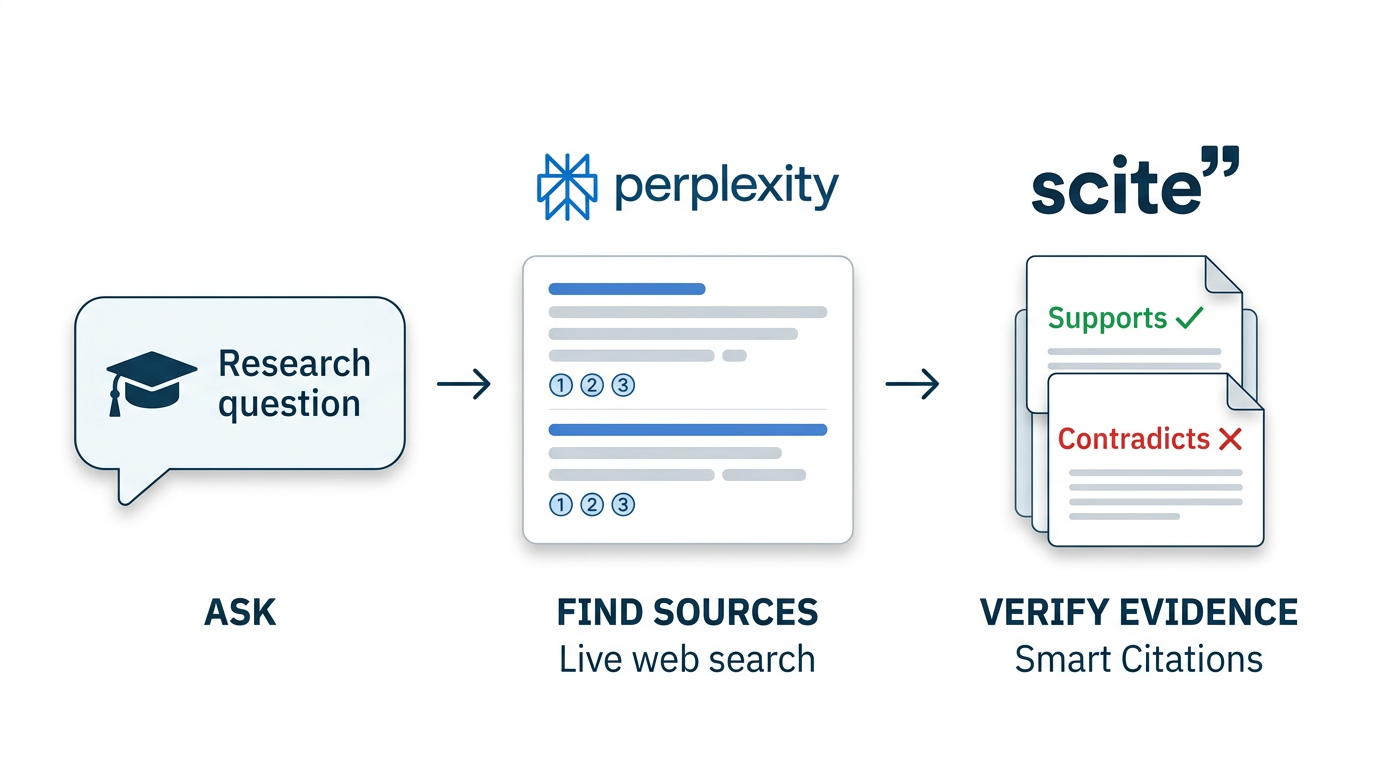
Perplexity searches the live web on every query and returns answers with numbered inline citations linking to the original sources. For research-heavy coursework, this means finding and partially reading your sources is reduced from an afternoon to twenty minutes. The Academic mode searches specifically within Semantic Scholar, PubMed, and arXiv — making it the fastest way to locate peer-reviewed papers on any topic. Free tier covers unlimited standard searches.
- Free tier: Unlimited standard searches
- Best for: Finding sources for essays, fact-checking claims, current events assignments
2. Scite — tells you whether the science actually holds up
Scite analyses 1.2 billion citation statements across academic literature to classify each one: does the citing paper support or contradict the study it references? For literature reviews and research methodology, this is transformative. A paper with 200 citations and 60 contrasting ones tells a different story than the raw count suggests. The AI assistant answers research questions using only verified papers. Ten free queries per month go further than they sound for focused research sessions.
- Free tier: 10 assistant queries/month, Smart Citations preview
- Best for: Science, medicine, social science — any literature-heavy coursework
3. Grammarly — the editing layer every piece of writing needs
The browser extension installs once and then silently covers every text field: Google Docs, Microsoft Word, email, Canvas, Blackboard. Grammar, spelling, punctuation, and clarity errors surface as you type. The 2026 free tier added sentence-level AI rewrites for awkward phrasing. It improves your writing rather than replacing it — which is exactly the right side of the academic integrity line. Every university policy allows grammar checking; almost none allow essay generation.
- Free tier: Grammar and clarity unlimited; limited AI rewrites
- Best for: Every written assignment at every level
4. Google NotebookLM — AI that only knows what you've uploaded
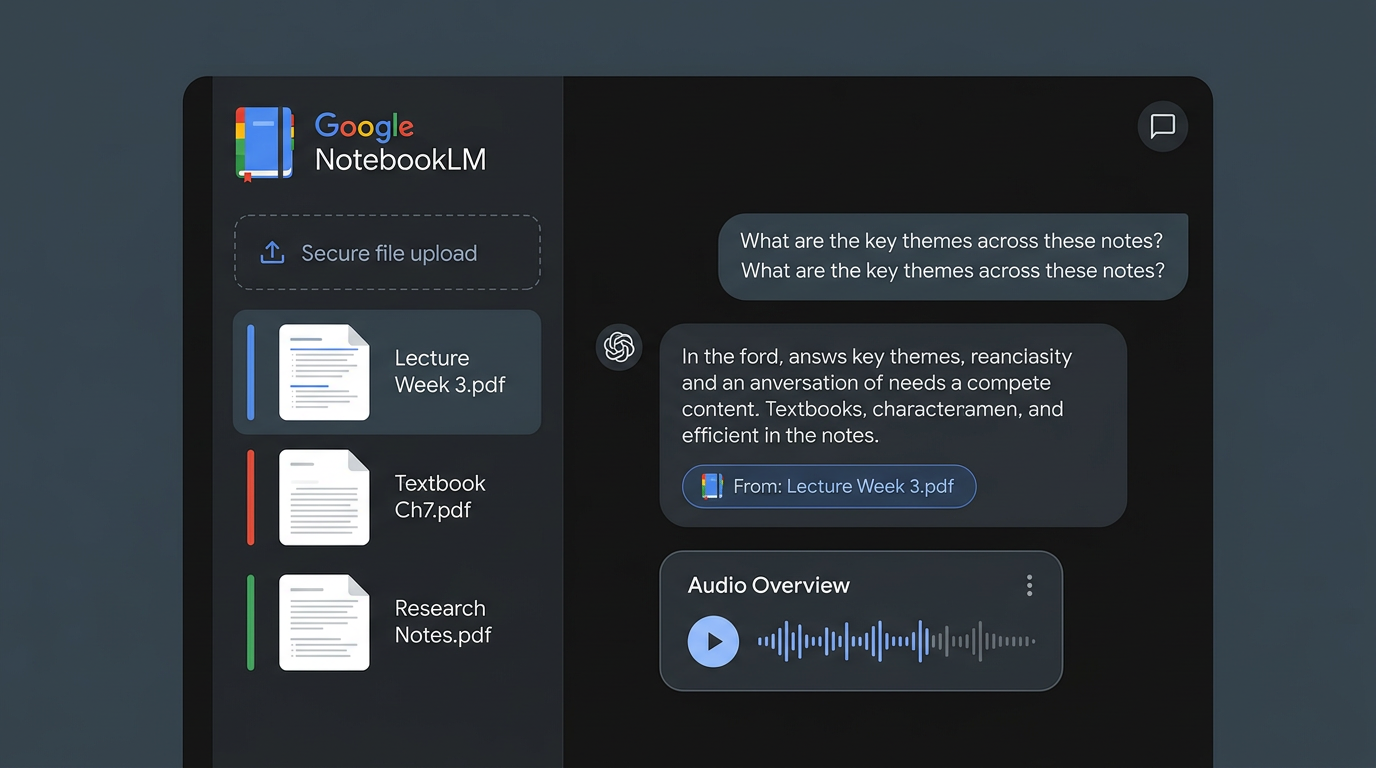
Upload your lecture slides, textbook PDFs, and research notes, and NotebookLM answers questions exclusively from that material. It cannot hallucinate external facts it wasn't given. The Audio Overview feature generates a podcast-style discussion of your uploaded notes — useful for passive revision during a commute. Free tier: 100 notebooks, 50 sources per notebook, 50 chats per day. For exam revision using your own course materials, nothing else works quite like this.
- Free tier: 100 notebooks, 50 sources, 50 chats/day, 3 Audio Overviews/day
- Best for: Exam revision, document Q&A, synthesising reading across multiple sources
5. Claude AI — explains anything, gives feedback on your drafts
Claude's free tier produces genuinely high-quality intellectual engagement. Paste in a concept from a lecture you didn't follow and ask for a plain-language explanation with examples — the result is typically better than the textbook. Paste your essay draft and ask for structural feedback and argument critique — it identifies gaps and weak reasoning without rewriting your work. The 200,000-token context window means you can include entire articles alongside your questions.
- Free tier: Limited daily messages
- Best for: Concept explanation, essay planning, argument feedback, understanding complex texts
6. Notion AI — notes that organise themselves
Notion AI turns raw lecture notes into structured summaries, generates revision questions from any block of text, and lets you ask questions about everything stored in your workspace. Students who use Notion as their primary notes app get AI queries built in. The free tier includes enough AI interactions for regular academic use, and the education plan gives full workspace access free with a verified student email.
- Free tier: AI writing and summarisation in free workspace; free for students with .edu email
- Best for: Multi-subject note organisation, revision planning, project management
7. Wolfram Alpha — step-by-step maths and science solutions
Wolfram Alpha has been the definitive free tool for quantitative subjects since 2009, and it remains unmatched. Type in any maths problem — calculus, linear algebra, statistics, physics equations, chemistry — and it shows full step-by-step working with explanations of each step. Understanding the working is what builds the skill. The core computation engine is free; animated step-by-step breakdowns require a Pro plan ($7.99/month).
- Free tier: Full computation engine, basic step display
- Best for: Maths, physics, chemistry, engineering, statistics
8. Otter.ai — lecture transcripts you can search and review
Otter records and transcribes lectures in real time, producing a searchable text record of everything said. For students who find it hard to take notes while listening — or who simply want a complete record to review — it converts attendance from passive to captured. The free tier gives 300 minutes of transcription per month, which covers approximately three hours of lectures and seminars. Transcripts sync across devices and can be highlighted and commented on.
- Free tier: 300 minutes/month
- Best for: Lecture capture, seminar notes, interview transcription for research projects
9. Anki with AI-generated decks — the most evidence-based revision tool
Anki's spaced repetition algorithm is the most extensively studied revision technique in educational psychology. The gap in 2026: using ChatGPT or Claude to generate Anki-formatted flashcard decks from your lecture notes takes two minutes instead of two hours. Paste your notes, ask for a flashcard deck in Q&A format, import the output. Medical students, law students, and language learners who combine AI generation with Anki's proven algorithm have the most efficient revision system available.
- Free tier: Anki desktop and AnkiWeb sync are fully free
- Best for: Memorisation-heavy subjects — medicine, law, languages, history
10. Quillbot — paraphrasing your own notes into cleaner English
Quillbot paraphrases text and summarises long documents. The most legitimate student use: paraphrasing your own rough notes into clean academic prose, or condensing dense reading into digestible summaries. The free tier covers paraphrasing up to 125 words at a time and the summariser. Particularly useful for international students refining their academic English phrasing. The important distinction: paraphrasing your own notes is standard academic practice; paraphrasing AI-generated content to disguise it is not.
- Free tier: Paraphraser up to 125 words, summariser
- Best for: Paraphrasing reading notes, improving academic phrasing, condensing long texts
Building a student AI workflow that actually works
Start with Perplexity for finding sources. Use Scite to evaluate the strength of scientific evidence. Take notes in Notion and upload them to NotebookLM for revision. Run every draft through Grammarly before submitting. Use Claude when you need a concept explained properly or your argument critiqued. Generate Anki cards from your notes for memorisation-heavy subjects. That workflow costs nothing and covers the full academic cycle from research to revision.
Closing thoughts
AI tools that make you a better researcher and writer are worth building into your academic practice. Those that do the academic work for you produce weaker work and weaker skills — both visible to experienced markers. The ten tools here sit firmly on the right side of that line. Browse the AI Education Tools category on AIToolsBox for full reviews and additional options.